Listen up, you magnificent headshot machine. I’ve been fragging since the days of 1.6, rode the CS:GO wave like a mechanical bull, and when CS2 finally dropped back in 2023 – oh boy, did my life change. Even now in 2026, with a bajillion updates tweaking smokes, recoil, and rating systems, this game is a living beast. And what separates the true elite from the measly silver scrubs? It’s not just aim, not just gamesense – it’s knowing how to bend the game to your will with the almighty developer console. I’m talking about commands that let me practice grenade lineups like a warlock, spawn infinite cash, fly through walls, and strip away every HUD element for those cinematic screenshot moments. If you’re still poking around the settings menu like a lost tourist, brother, you’re leaving power on the table. Buckle up, because I’m about to dump the most savage, must-know CS2 console commands of 2026 straight into your cerebral cortex. We’re going full nerd mode, and it’s going to be glorious.
🔧 Enabling the Console: The First Step to Godhood
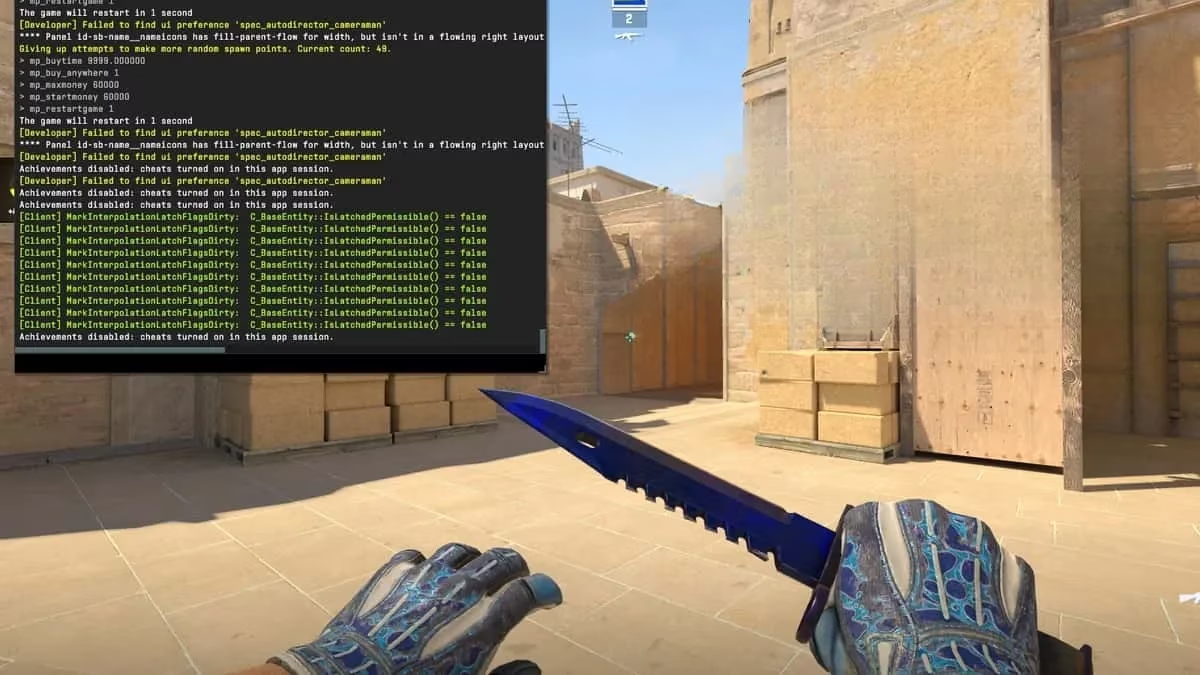
Before you can type a single magical incantation, you need to awaken the console. It’s like finding the hidden lever behind a bookcase that opens the secret armory. Here’s how you do it, no PhD required:
-
Fire up CS2 and march into the Settings menu.
-
Click the Game tab – that’s where the juicy bits live.
-
Spot the setting lovingly named Enable Developer Console (~) and flip that bad boy to Yes.
Once that’s done, the tilde key (that squiggly ~ or ` key chilling in the top-left corner of your keyboard) becomes your portal. Press it anytime – mid-match, in practice, while screaming at bots – and a glorious text box will slide down like the gates of Valhalla. That’s where you’ll type the commands that turn you from a mere mortal into a CS2 demigod.
🎯 General Gameplay Commands I Can’t Live Without
These are the bread and butter, the ones I’ve got burned into muscle memory faster than an AWP flick. They tweak the fabric of your match, fixing annoyances or giving you superhuman control. Check this table and weep with joy:
| Command | What It Does | My Personal Rant |
|---|---|---|
cl_usenewbob 0 |
Reverts weapon bob animations to the old CS:GO style. | Look, the new bob is cool, but sometimes I want that classic sway while I’m stalking corners like a panther. It’s nostalgia, and it makes me feel like I’ve still got my 2015 aim. |
cl_drawhud 0 |
Wipes every HUD element clean off your screen. | Screenshot mode, baby! When I hit a ridiculous 180 noscope, I need a pristine capture for my highlight reel. No radar, no ammo count – just glory. |
sensitivity [value] |
Changes mouse sensitivity on the fly. | Why dig into menus when a quick sensitivity 1.8 instantly shifts my aim? I adjust mid-DM like a mad scientist tuning a robot. |
These might seem minor, but minor is the difference between clutching 1v5 and rage-quitting. Trust me, I’ve been there.
🚀 Practice Commands: Build Your Own Murder Dojo
I don’t just play CS2 – I study it like a cursed tome. My practice sessions are sacred, and with these commands, I turn an empty server into a sandbox of infinite destruction. No distractions, no random matchmaking clowns – just me, my guns, and a universe of grenades.
Here’s the secret sauce to set up a practice environment that would make a Navy SEAL jealous:
sv_cheats 1                     // unleashes the forbidden magic

mp_limitteams 0; mp_autoteambalance 0;  // no team balancing nonsense

mp_maxmoney 60000; mp_startmoney 60000;  // I’m buying the whole buy menu

mp_buytime 9999; mp_buy_anywhere 1;      // buy mid-air, buy while noclip, buy everywhere

mp_freezetime 0;                // no cold feet, instant action

mp_roundtime 60; mp_roundtime_defuse 60; // rounds longer than a Marvel movie

mp_respawn_on_death_ct 1; mp_respawn_on_death_t 1; // instant respawn, no downtime

sv_infinite_ammo 1;             // bullets for days, grenades forever

ammo_grenade_limit_total 5;     // don’t stop throwing HEs

sv_grenade_trajectory 1;         // see the ghostly arc of your nade

sv_grenade_trajectory_prac_pipreview true; // live preview of where it lands – actual sorcery

sv_grenade_trajectory_prac_trailtime 15;   // trail stays long enough to learn

sv_showimpacts 1; sv_showimpacts_time 10;  // every bullet hole glows, learn spray pattern gods

bot_kick;                       // throw those bots out, they’re useless

mp_warmup_end; mp_restartgame 1;

bind "alt" noclip;              // fly through walls like a phantom

god;                            // invincibility – because I can
One command to rule them all: type exec practice.cfg after loading a private match, and everything activates. I’ve saved this config years ago and it still feels like cheating – but the legal kind.
🤖 Bothering Bots for Fun and Profit
Bots are my favorite lab rats. I can make them stand still, respawn endlessly, or gang up on me like a zombie horde. With these commands, your private server becomes a twisted circus:
bot_add                 // summon a bot

bot_kick                // banish them all

bot_stop 1              // freeze them in place for target practice

bot_knives_only         // force knife fights – hilarious chaos

mp_autoteambalance 0    // I decide the teams, not some algorithm
Ever wanted to practice headshots on stationary targets without downloading a workshop map? bot_stop 1 turns them into living dummies. In 2026, the bots still have that weird movement sometimes, but hey, it builds character.
💡 Oddball Commands That Spark Joy
Beyond the meta, there are quirky little dials that give me life. They’re not needed for competitive dominance, but they feed my inner child who just wants to watch chickens run through Dust2. Here are my favorite “why not?” commands:
-
r_drawOtherModels 2: Wallhacks in practice servers! Requiressv_cheats 1. It’s like having X-ray vision, letting me study how enemy models appear through walls. Great for learning prefire angles without ruining anyone’s day. -
r_drawchickens: Renders chickens. In 2026, the chickens are still there, still clucking, still giving zero cares about the gunfight around them. Sometimes I just load Inferno and admire them. -
record [demoname]: Record a demo manually. I’ve captured my greatest (and dumbest) moments this way, creating a personal museum of frags.
These are the sprinkles on the tactical cupcake. Use them when you need a smile.
📜 The Autoexec: My Personal Genie in a .cfg File
Manually typing all these commands every session? That’s for people who enjoy pain. I’m a busy professional (world’s best CS2 player, according to my mom), so I automate everything with an autoexec. This mystical text file executes a whole list of commands the moment I launch the game, or whenever I summon it mid-session.
To create your own autoexec in 2026:
-
Open your Steam Library, right-click Counter-Strike 2.
-
Hover over Manage and select Browse Local Files.
-
Navigate to game → csgo → cfg folder.
-
Create a new Text Document, name it
autoexec.cfg(make absolutely sure you delete the.txtextension – this step has fooled many a noob). -
Open it with Notepad, paste your chosen commands, save.
Want it to fire up every single time CS2 starts? Add +exec autoexec.cfg to the launch options in the game’s properties. Or, keep multiple configs like practice.cfg, warmup.cfg, screenshot.cfg, and execute them in-game by typing exec practice.cfg in the console. I’ve got a whole armory of configs ready to load depending on my mood.
🖥️ Launch Commands: Squeezing Every Drop of Performance
These aren’t typed in the console, but in the game’s launch options under Steam properties. They’ve been a thing since the CS:GO era, and in 2026 they still give me that extra edge by telling my PC exactly how to prioritize CS2.
-
-novid: Skips the intro video. I haven’t seen that logo splash in years, and my SSD thanks me. Shaves precious seconds off the boot time. -
-high: Tells Windows to treat CS2 like a VIP. It gets top CPU priority, so background apps like Chrome with 50 tabs won’t dare steal cycles. -
-threads [number]: This demands a tiny bit of homework. Check how many CPU threads your processor has – say, 8 for an old i7 – then input-threads 8. It forces CS2 to use all your cores like a hungry beast, improving frame times and reducing stutter. -
-nojoy: Disables joystick input. I don’t know anyone who plays CS2 with a flight stick, but this reportedly frees up a sliver of RAM. It’s like plucking a single gray hair – maybe it doesn’t change much, but it feels cleaner.
Combine these with the best CS2 video settings (low shadows, high textures, because priorities), and you’ll be gliding through maps at silky frame rates while your foes lag behind.
🏁 The Final Frag
Let’s be real – CS2 in 2026 is a fine-tuned war machine, and the console is your direct line to its brain. Whether you’re setting up an infinite‑ammo grenade lab, tweaking mouse sensitivity on the fly, or just removing the HUD for a screenshottable moment of perfection, these commands are the keys to the kingdom. I use them daily, and I credit half my highlight reels to the godlike practice environments they create.
Now stop reading and start typing. The console awaits, and glory is just a tilde key away. 💥