If you want to change your username in PUBG during 2026, there are some easy ways to do it but only if you know where to look for the option. Your ingame name (also known as your Ingame Username or Ign) can be seen throughout the Game (on the lobby, kill feed, squad list and leaderboard), therefore changing it is a big step if it is done incorrectly - meaning that whether you're changing it from an old ugly username, or switching to a more decent one (for example, adding a clan prefix) - you will find all of the details of how to do this for PUBG Mobile, BGMI or PUBG PC without wasting any time!
How To Change Your Username In PUBG
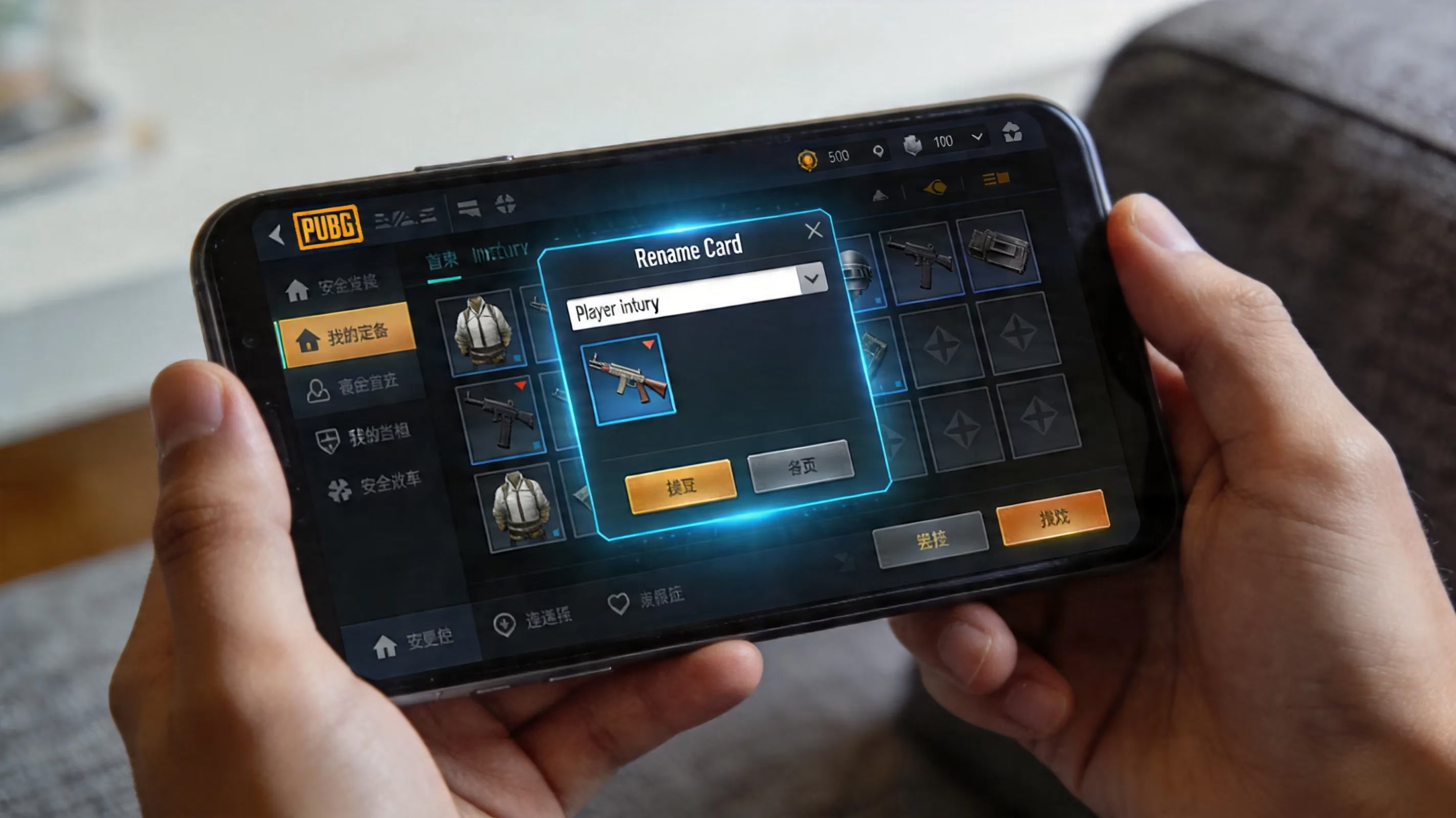
The The process of changing your username will be located in the same place within the Inventory of your game client as well as where you can use a Rename Card to change it, just like for Mobile and BGMI versions of the game. This is done by getting a Rename Card, going to the right Inventory Tab (Crate/Box) and selecting it from there. Once in the Crate/Box inventory, open it and look for the Rename Card (it will be marked with an Id) - Click Use on the Rename Card and enter your new username. Once you enter it, the game will give you a popup allowing you to verify if it is correct by pressing OK.
For PUBG PC, you would not have the option to use Rename Cards, instead the only way to change your username is through the use of a Riot account which will reflect in your in-game username the same way as it does with your IGN except for when you have changed one thing. To change your name in PUBG for PC, you have to access it through your Steam profile since your PUBG name is your Steam display name. After you make any changes to your profile in either the Steam client or Steam website, your PUBG name will be updated shortly after.
How to Rename Yourself Using a Rename Card in PUBG
If you play PUBG Mobile and BGMI, the Rename Card is the only way to rename yourself so you will not be able to change your name without one. Your account could be old and high-level but you won’t be able to rename it without the Rename Card.
In 2026, if you want a Rename Card, the easiest way to get one will be by purchasing it from the in-game Store under the Treasures tab. That is where one Rename Card can be purchased for 180 UC. As long as you have enough UC your will have the fasted way to rename yourself.
If you do not want to spend any UC or money there are still free alternatives to get a Rename Card:
-
You will usually receive a Rename Card between levels 3-10 through Leveling Rewards or Progress Missions if you are a new player.
-
You may be able to receive a Rename Card if you were inactive for more than 7 consecutive days through the returner reward missions.
-
There are certain tiers on Royale Pass and Seasonal Events such as the Anniversary of the Game or the Version 4.3 Evolving Universe event that give Rename Cards as milestone rewards.
You should always check your Missions, Event Tabs, and current Pass Rewards before you spend UC on a Rename Card. Many gamers don't realize they have earned free Rename Cards as rewards previously sent to them through postal mail, therefore having to buy them at a retailer finally learn this after they purchased one to register a username in-game.
PUBG Rename Name Change Policies
When creating your new username (also called an "IGN"), here are the things you will want to remember to prevent wasting your Rename Card on something that won't meet minimum requirements.
| Rule Description
|--------------------------------
| You can only change your username 1x in each 24-hour period
| The maximum number of characters you can have in your username
PUBGM & BGMI are limited to 14-character names
PUBGC is limited to 16-character usernames
| You must create a username that no one else has in PUBGM, BGMI, or PUBGC
| Using special characters in the username
Limited support of Unicode characters, but only certain types
Some standard symbols and invisible/blank style characters such as
U+3164 Hangul Filler, etc. will work but with some limitations
| Usernames cannot contain anything that would constitute a violation
of the terms of service in terms of offensive terminology or any words,
phrases, or characters that are a related violation of PUBGM's
community standards;
Your entire PUBGM or BGMI will only allow one rename card to be redeemed every 24 hours. When you rename your account, you will then enter a period of time where you cannot rename yourself again until the full 24-hour period has been completed. Be sure that you are checking to see what your new username looks like in the game before you confirm the new name; also be sure to count on how stylized characters may look when renaming, as a certain style of character may look fine in the rename option, but will not render the same way (style-wise) in the game's kill-feed or team-list.
Please keep in mind that the system is checking for available usernames in the same registry as your username at the same time you are attempting to enter a new username. If your username is taken by someone else in PUBGM, you will receive the message "username unavailable." However, you will not lose your Rename Card if you cannot create the new username of your choice due to the username already being taken. Therefore, you can continue to try variations of the new usernames until you will not longer be able to create or redeem any of the user-names. PUBG Mobile Name Changing (New Method)
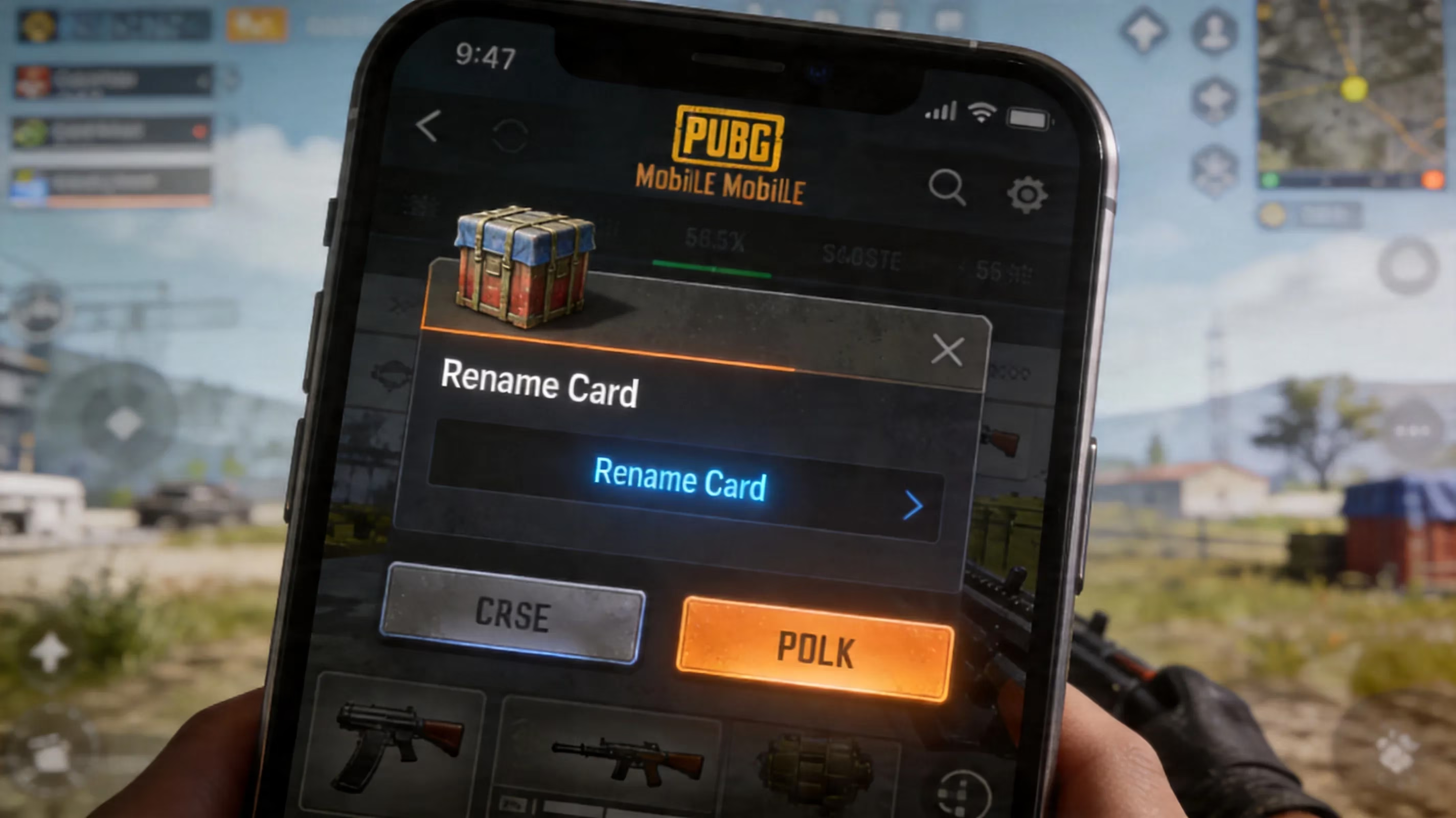
When it comes to the new PUBG Mobile version as far as renaming your character in 2026, the process is still the same, where you go to the Lobby— Inventory (Bottom Right) — Crate/Box Icon (to the right of your character) and look for a Rename Card that has an ID Symbol (This will show up in a box when tapped on)…
While you can change your name directly in the game, you can also utilize the 4.3 & 4.4 versions of PUBG Mobile for more comprehensive details on renaming your character. The Crate section has been changed up for the Beta Version (4.4), but if you’re on an Older version, it will probably be at the Bottom of The Inventory Category List until you find it located elsewhere in your Game.
Overview of Styled Unicode Names for PUBG Mobile
As far as names created with Styled Unicode go (i.e., Bold, BlackLetter, Italic versions and Glitch Style Characters) can all still be used as your Username in PUBG Mobile. Each style of Unicode will appear as only one character and contribute to your 14 character limit. Therefore, if you have a styled name that is too long, the game will prevent you from using it so make sure to copy and paste from the Styled Unicode Test Field into the Game to see if it fits and the way it would appear).
BGMI Method for Names Changed
As far as BGMI goes, the method for renaming your character is nearly identical to Renaming in PUBG Mobile. The biggest differences between the two are as follows: The use of BC (Battle Coins) when purchasing the Rename Card from the Shop and The fact that you have the option of using either Rare or Uncommon Name Change Cards. Cards from Events and Missions Will Function the Same as Other Cards You Have in Your Account
The first difference you will encounter is with the stricter validation filter on BGMI. The BGMI version may be rejecting some of the Unicode characters that would pass as valid in the global version of PUBG Mobile. In this case, the most common reason for this is that the same stylish name may go through in the global version, but will fail in BGMI.
Another issue sometimes arises from a weird clipboard problem on specific android OEM phone brands (like Realme, Vivo, and Oppo) with ColorOS or Funtouch OS operating systems. In those operating systems, the clipboard manager could strip or change certain Unicode characters (while pasting). The easiest way around this is to go to the Notes app on your phone, paste your desired name there, recopy it from the Notes app and then paste it into BGMI. This seemingly crazy solution often will work around the filter.
PUBG PC
There are no Rename Cards in PUBG PC (PUBG: Battlegrounds on Steam). Your in-game identity is linked directly to your Steam Display Name. You can change your Steam Display Name from the Steam client or from the Steam website in the Edit Profile screen (Profile Name/Current Alias). When you submit this change, the changes will take effect immediately within other Steam connected services, including PUBG.
The only caveat with this is that your Steam Display Name is limited to a maximum of 32 characters, but PUBG displays a maximum of 16 characters for your Steam Display Name within the game's UI. If your Steam Display Name is longer than 16 characters, it is likely that when someone looks at kill feeds, overlays, or other elements of the game's user interface (UI), your Steam Display Name may be cut off from their view. If you’re playing both on mobile and PC, you should keep in mind that there is platform mismatch. A perfectly good name on PUBG Mobile has a 14-character limit, but on Steam it could cause it to look bad or get cut off when seen in PUBG PC.
PUBG Rename Problems and Solutions
There are many instances of rename problems and fortunately for players most of these are easy to fix after understanding the reasons behind them.
No Rename Card found in inventory — If you cannot find the card, first ensure you are logged into the correct account. Rename cards are not transferable between accounts and thus cause log in issues. If you are logged into the right account check the Shop Treasures tab, your mailbox and any mission or event claiming tabs for example, sometimes rewards are not automatically added to your inventory until you manually collect them.
Error "Name taken" — The above means another player has that exact * IGN*. The best fix is usually to change it slightly using capital letters, numbers, or by using an acceptable symbol for example a dot separator or stylized Unicode letter(s). You typically should not need to completely abandon the idea for that name.
Unsupported characters — If your rename request was met with denial as to what could be entered it means you had that symbol /special character blocked due to validation filters on this field. A better way to fix the issue with your name is to get rid of the character altogether and use an alphanumeric character or a simpler unicode symbol. This is especially important when using BGMI as the character count for players is important in order to appear in kill feeds.
You can also leave out the number of special characters used in your name and go with a simpler version using U+3164 Hangul Filler instead of U+200B Zero Width Space to make it more visually appealing.
Confirmation of Changes Not Shown — For both games, the new name should appear in the Lobby immediately after it has been entered. If it is not there, please completely close out of your game and restart it to allow the correct data to be brought back onto your account. Game client restarts or restarts of the game are both effective at removing any cache failure with the Steam client.
Best PUBGBGMI Name Ideas Post-Renaming
Now that you have used the Rename Card along with the entire Process of using a Rename Card to rename your account, you should work on your final step which is coming up with a name that you will actually want to keep and use for an extended period of time.
You may be shocked to hear this but the current short IGNs still have great value in 2026. Using a name between 5 to 10 characters makes it easier for you and/or your teammates to see your name in kill feeds and makes it easier for you and your teammates to see the name on a mobile phone screen and to hear the name via voice communications.
Clan Mark Formatting - If your regular squad has a clan tag, then this will be the most common format of a name that you will use: [CLAN]Players Name or CLAN | Players Name. These clan tag formats will identify your squad as soon as you enter the lobby. Both games will support the use of bracketed characters when using these types of names.
If you want something to last through the ages, then the clean pro style naming conventions are your best bet. These names typically minimize the number of symbols used, are easy to read, consist of one word or two condensed words, and generally have a nice visual rhythm.
Clean pro style names would include VOID, RAVΞN, NØVΛ, GhostIGL; they are easy to read and you shouldn't become tired of seeing them anytime soon.
Frequently Asked Questions About Changing Names in PUBG — The answer is as follows - you will have needed to obtain a Rename Card - on PUBG or BGMI - by paying for it (180 UC) or earning it via Returner Rewards, progressed chapter missions, or seasonal rewards. Once you have the Rename Card, you will navigate to Inventory → Crate/Box → Rename Card → Use and enter the new name you want to use as well as confirm it once you have completed entering your new name. On PUBG PC, it will suffice to change your Steam account display name only for the purpose of renaming. You will need to pay attention to the 24 hour countdown, character limits, and availability of your new name before locking it down as your permanent name. If you have selected a quality name, with a minimal number of characters in the name, that is readable and matches either the name of your clan or what content you create, you will be happy with your name.
Data referenced from Esports Charts underscores why a clear, readable PUBG in-game name matters beyond aesthetics—especially when you’re in lobbies with competitive players or following tournament-style play, where overlays, kill feeds, and leaderboards need to be instantly legible. Keeping your IGN within platform character limits and avoiding hard-to-render Unicode helps ensure your identity displays consistently across spectator-style UI elements, making your rename choice more future-proof.